Integrate Teradata with KNIME Analytics Platform
Overview
This how-to describes how to connect to Terdata from KNIME Analytics Platform.
About KNIME Analytics Platform
KNIME Analytics Platform is a data science workbench. It supports analytics on various data sources, including Teradata.
Prerequisites
- Access to a Teradata instance, version 17.10 or higher.
Note
If you need a test instance of Teradata, you can provision one for free at https://www.teradata.com/try
- KNIME installed locally. See KNIME installation instructions for details.
Integration Procedure
- Go to https://downloads.teradata.com/download/connectivity/jdbc-driver (first time users will need to register) and download the latest version of the JDBC driver.
- Unzip the downloaded file. You will find
terajdbc4.jarfile. - In KNIME, click on
File → Preference. UnderDatabases, clickAdd: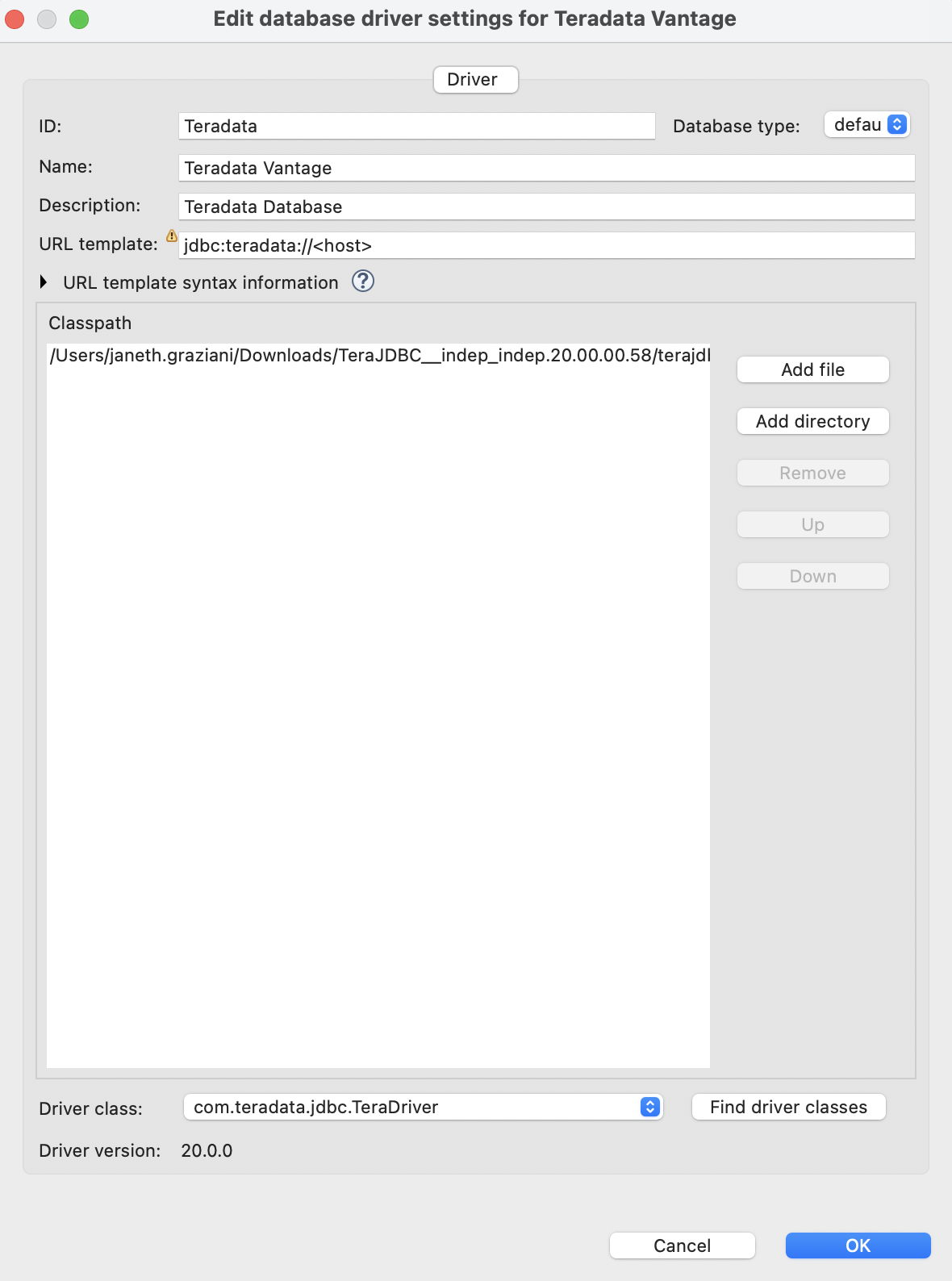
- Register a new database driver. Provide values for
ID,Name, andDescription. Set the URL template tojdbc:teradata://<host>. ClickAdd fileand point to the.jarfile you downloaded earlier. ClickFind driver classes— theDriver classfield should populate withcom.teradata.jdbc.TeraDriver. ClickOK:
-
Click
Apply and Close: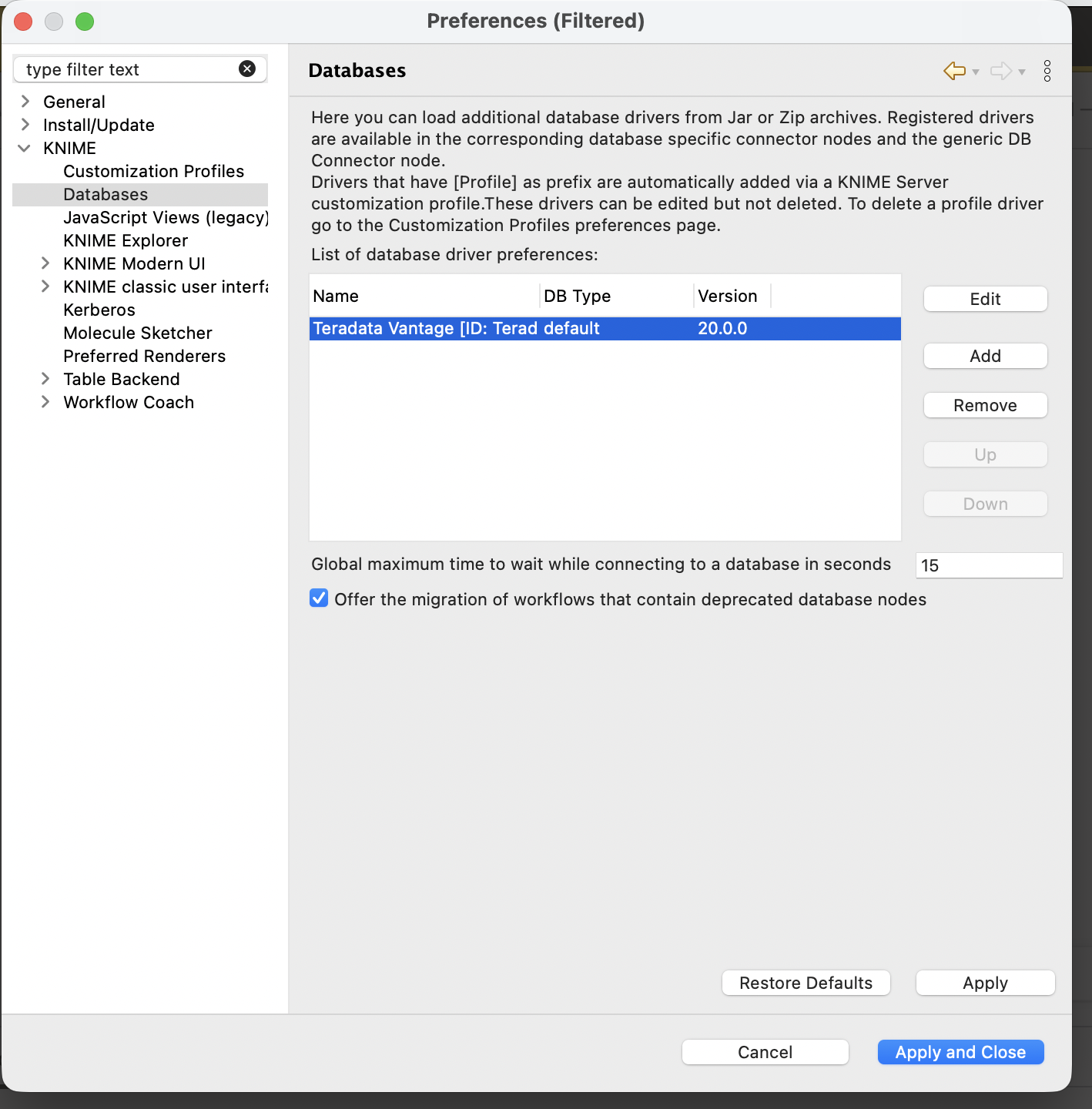
-
Create a new KNIME workflow. Search for
DB Connectorin the Nodes panel and drag it to the workspace:
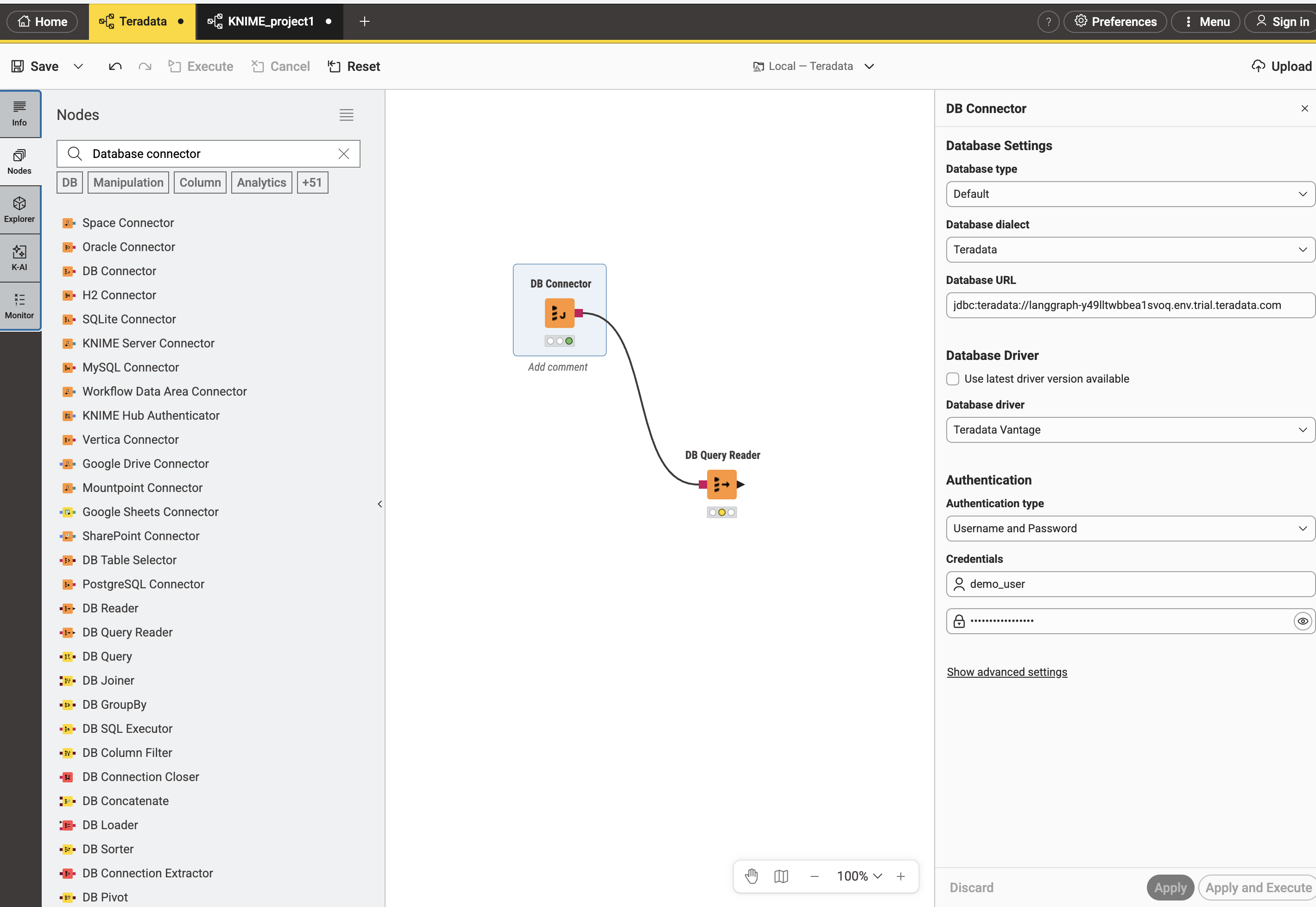
The DB Connector settings panel will appear on the right. Configure the following:
- Database dialect:
Teradata - Database URL:
jdbc:teradata://<your-vantage-host> - Database Driver: uncheck
Use latest driver version availableand selectTeradata Vantagefrom the dropdown - Authentication type:
Username and Password - Enter your Username and Password
- Click
Apply and ExecuteIt will show a green light when the connection is successful.
-
Add a
DB Query Readernode to the workspace and connect the output port ofDB Connectorto the input port ofDB Reader. -
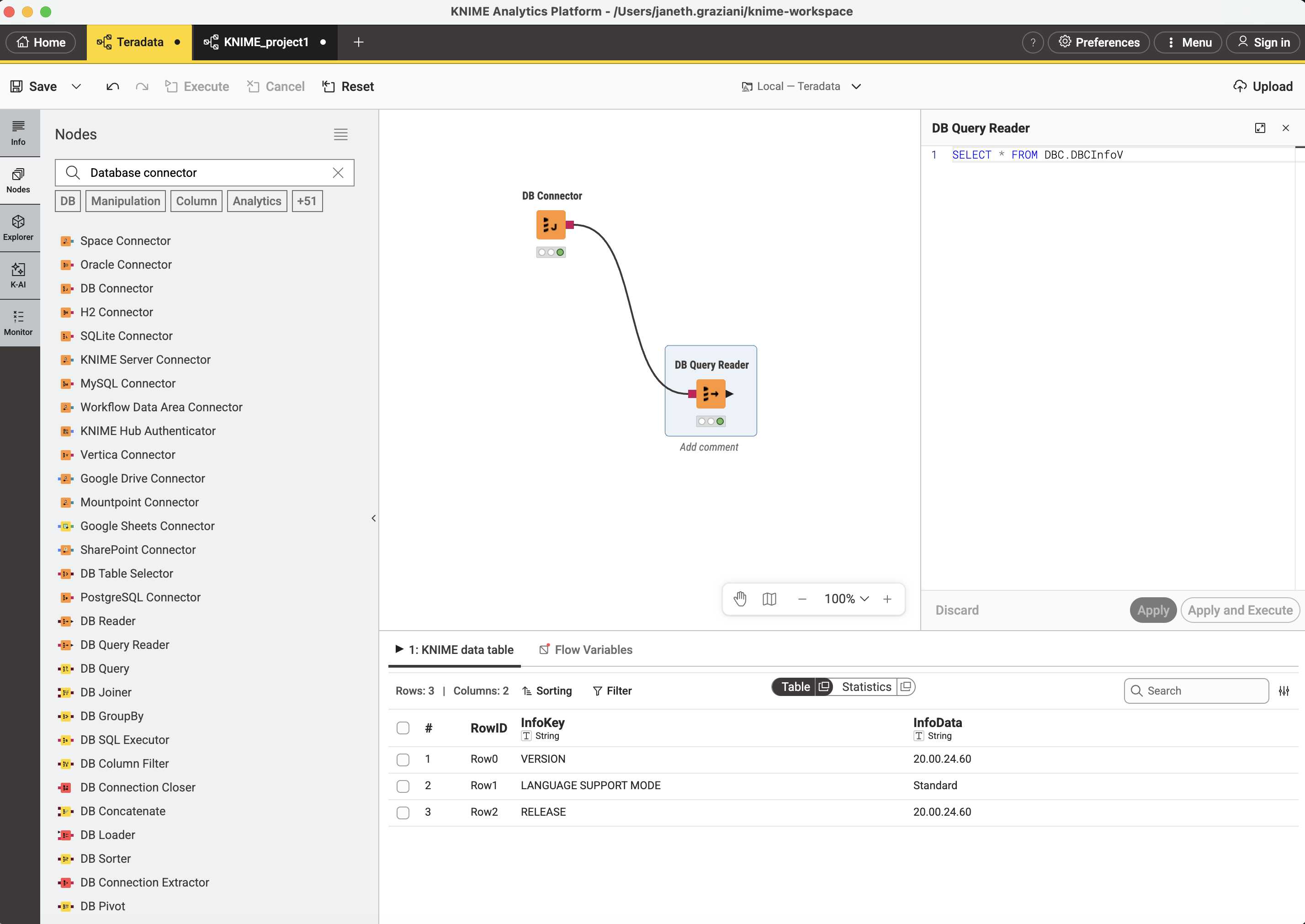
Right-click the
DB Query Readernode and selectConfigure. Enter your SQL statement, for example and select Apply and Execute:SELECT * FROM DBC.DBCInfoV
Summary
This how-to demonstrats how to connect from KNIME Analytics Platform to Teradata.