Data Transfer from Azure Blob to Teradata Using Apache Airflow
Overview
This document provides instructions and guidance for transferring data in CSV, JSON and Parquet formats from Microsoft Azure Blob Storage to Teradata using the Airflow Teradata Provider and the Azure Cloud Transfer Operator. It outlines the setup, configuration and execution steps required to establish a seamless data transfer pipeline between these platforms.
On Windows, use Windows Subsystem for Linux (WSL) to complete this quickstart.
Prerequisites
-
Access to a Teradata instance, version 17.10 or higher.
NoteIf you need a test instance of Teradata, you can provision one for free at https://www.teradata.com/try
-
Python 3.10, 3.11, or 3.12 installed.
-
uvinstalled. To installuvon Linux, WSL, or macOS, run:Restart the terminal and verify the installation:
Install Apache Airflow
-
Create and activate a Python virtual environment.
-
Install Apache Airflow 3.2.2.
-
Install the Airflow Teradata provider with Microsoft Azure support.
-
Set the
AIRFLOW_HOMEenvironment variable.
Configure Apache Airflow
Configure the environment variables to enable the test connection functionality and prevent sample DAGs from loading in the Airflow UI.
Start Apache Airflow
-
Start Airflow Standalone.
-
Open http://localhost:8080 in a browser. Log in with the
adminusername and the password displayed in the terminal.
Define the Apache Airflow connection to Teradata
- In the Airflow UI, select Admin > Connections.
- Click Add Connection.
- Configure the connection using the following details:
- Connection Id:
teradata_default - Connection Type:
Teradata - Database Server URL: Teradata instance hostname.
- Database: Database name.
- Login: Database user.
- Password: Database user password.
- Connection Id:
- Save the connection.
- Open the saved connection and test it.
Refer to the Teradata Connection documentation for more information.
Define a DAG in Apache Airflow
Airflow DAGs are defined in Python files. The following DAG transfers CSV data from a Teradata-provided public Azure Blob Storage container to Teradata.
-
Create the DAG directory and open a new Python file:
-
Copy the following code into the file:
-
Save the file and exit the editor:
This DAG performs the following operations:
- Attempts to drop the destination table.
- Transfers data from the public Azure Blob Storage container to Teradata.
- Retrieves the number of transferred records.
- Writes the number of transferred records to the task log.
Refer to the Azure Blob Storage to Teradata Operator documentation for more information.
Load the DAG
After saving the DAG file in the $AIRFLOW_HOME/dags directory, Airflow automatically processes it and displays it on the DAGs page. The DAG may take a few minutes to appear.
To check for DAG import errors, open another terminal, activate the virtual environment, set AIRFLOW_HOME, and run:
Refresh the Airflow UI after the DAG has been processed.
Run the DAG
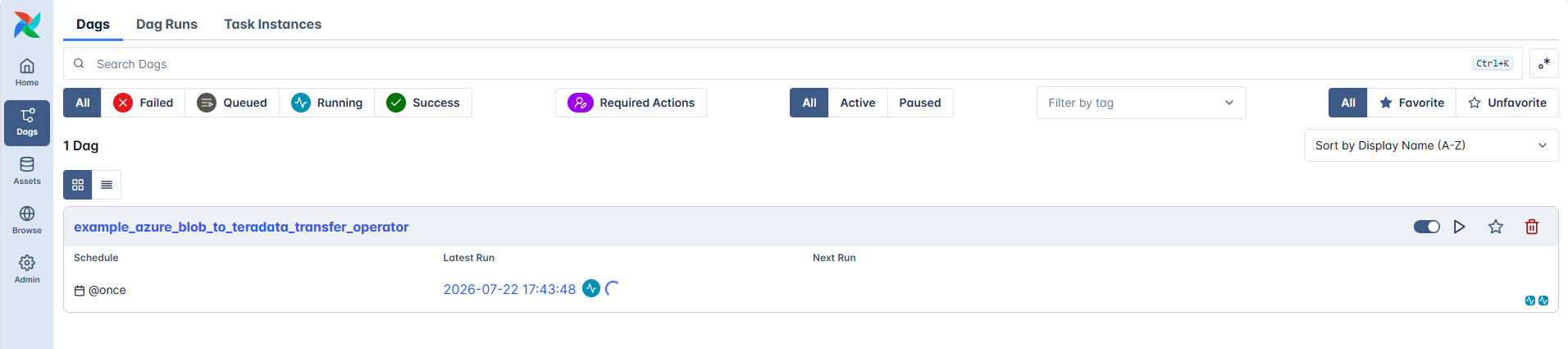
- On the DAGs page, locate
example_azure_blob_to_teradata_transfer_operator. - Click the Trigger DAG icon on the right side of the DAG row.
- In the dialog box, select Single Run, keep the default data interval, and click Trigger.
- Open the DAG to monitor the task execution in the Grid view.
Transfer data from a private Azure Blob Storage container to Teradata
To transfer data from a private Azure Blob Storage container to Teradata, complete the following prerequisites:
-
Create an Azure account.
-
Create an Azure storage account.
-
Create a blob container in the Azure storage account.
-
Upload CSV, JSON, or Parquet files to the blob container.
-
Create a Teradata authorization object using the Azure storage account name and access key.
NoteReplace
azuretestquickstartwith the Azure storage account name andAZURE_BLOB_ACCOUNT_ACCESS_KEYwith its access key. -
In the
transfer_data_csvtask, replaceYOUR-PRIVATE-OBJECT-STORE-URIwith the URI of the private container and add theteradata_authorization_nameparameter with the Teradata authorization object name.
Summary
This guide demonstrated how to use the Airflow Teradata Provider’s Azure Blob Storage to Teradata Transfer Operator to transfer CSV, JSON, and Parquet data from Microsoft Azure Blob Storage to Teradata.